
Do the task in front of you.
Four written walkthroughs for the actions you repeat: prepare the source pack, prioritise the estimate, inspect one line and create the client report. Use the screenshots and checks beside your project.
Upload and organise project information
Finish with: A reliable pricing source set that can be traced in the result.
- Start with the current drawing/specification revisions. Make a simple register of file name, date and purpose.
- Check each file opens and is readable before adding it to the project. Include the information that affects scope or price, together with relevant written site notes.
- Remove duplicate/superseded information from the pricing source set. Where two current sources disagree, record a clarification.
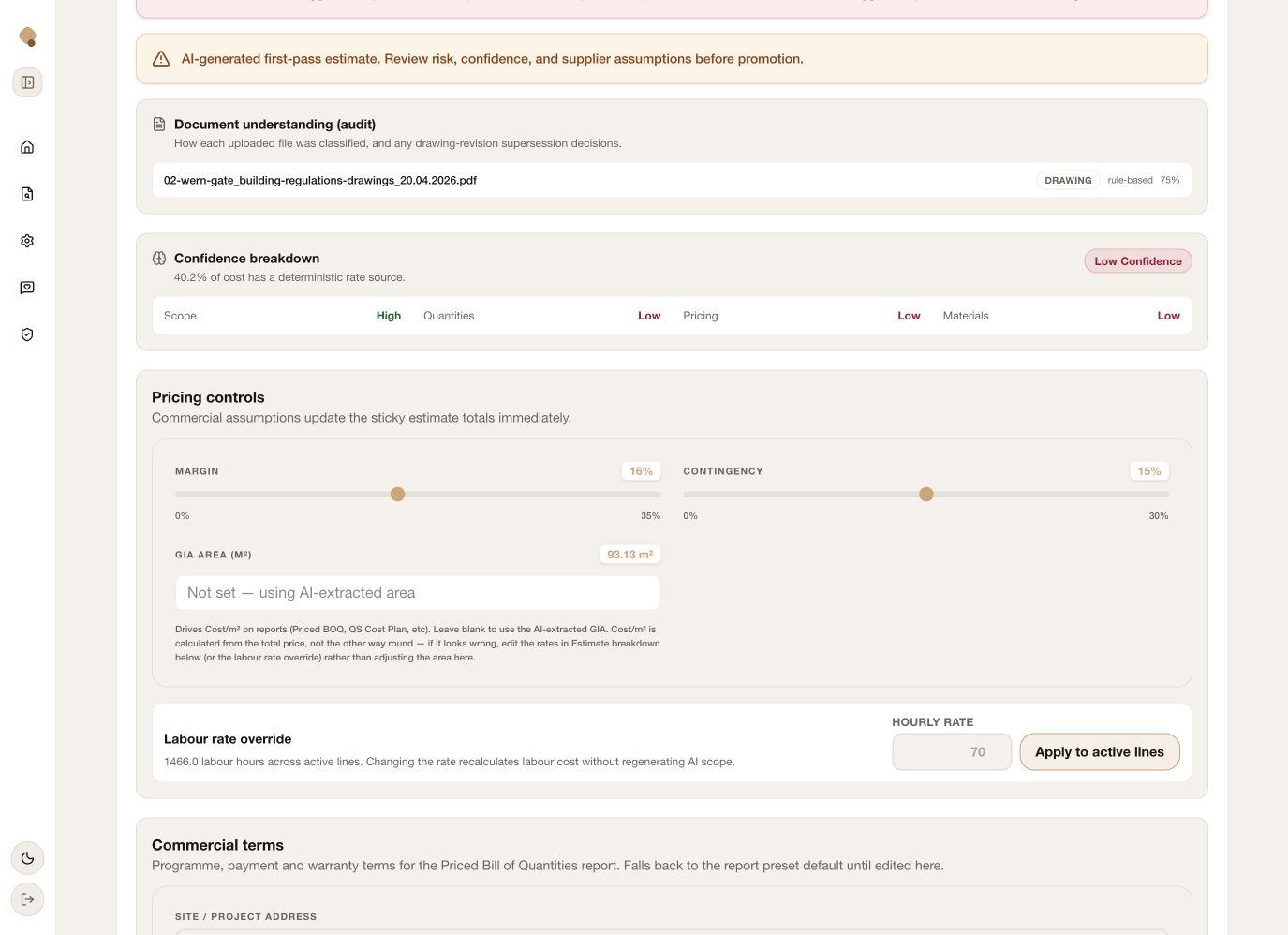
- After generation, open the document audit and check that the intended files and classifications appear. Do not assume uploading a file proves its contents were understood.
Practice asset: project-pack checklist · blank editable sheet · completed example · printable example. Full starting route: prepare a first project.
Task check
Turn estimate health into a review order
Finish with: A short, useful review queue.
- Read the quote’s scope, total/range and confidence. Treat warnings as prompts for a decision, not automatic instructions to raise or lower the price.
- Identify the largest or low-confidence packages. Check that the review queue and any market comparison relate to the current quote version and area.
- Select a line that combines high value with uncertainty. Check scope and quantity before changing commercial percentages.
- Record what evidence is needed: measurement, supplier quotation, specification, site condition or clarification. Work through these actions before issue.
Read the confidence and commercial-controls walkthrough and the three-pass estimating checklist.
Task check
Inspect the source and correct one line
Finish with: One properly checked line and a clear method to repeat.
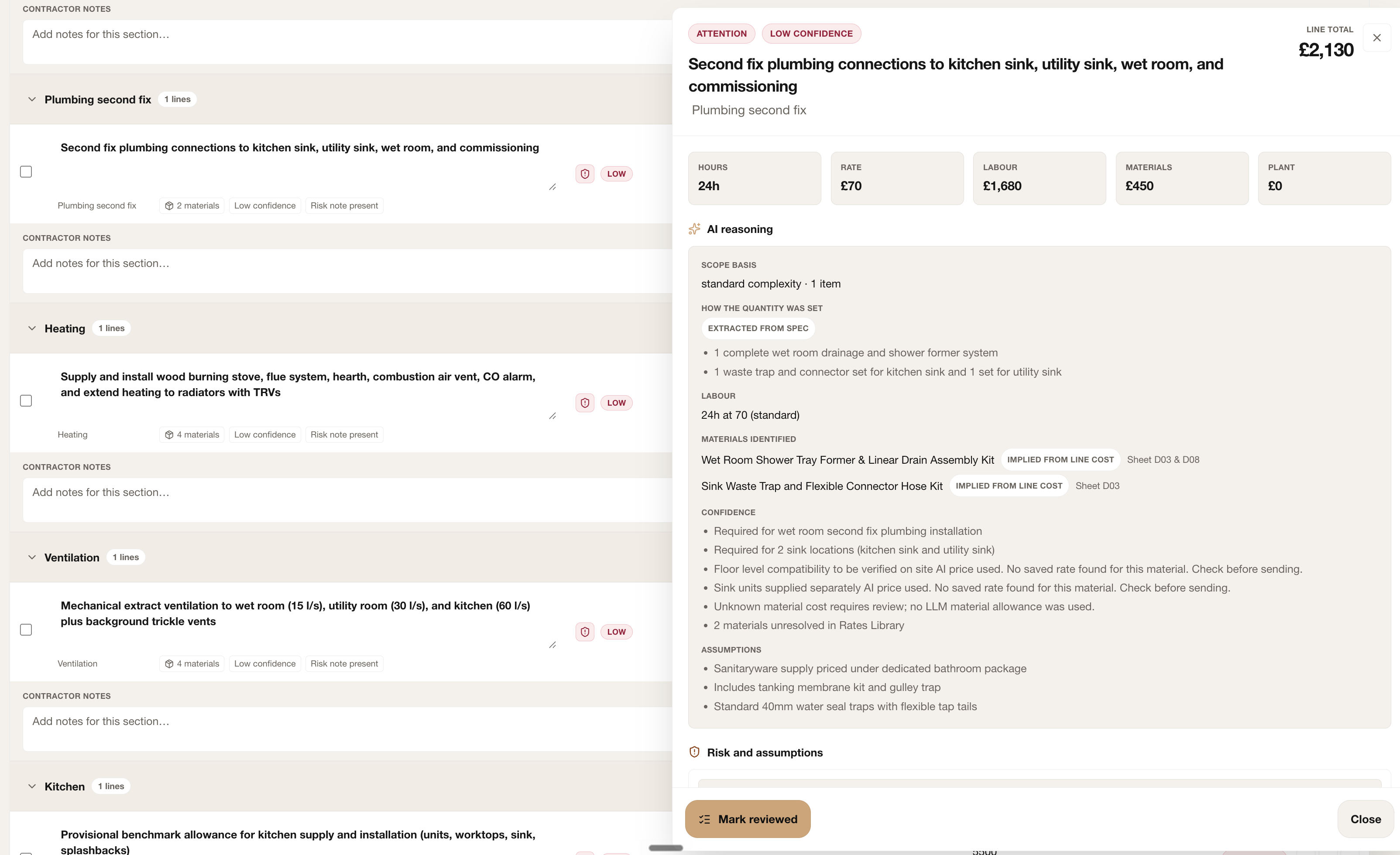
- Open the line details. Compare the description with the exact included work.
- Inspect the scope basis, extracted/supplied quantities and assumptions. Verify whether a number is supplied, derived, assumed or genuinely measured from a drawing.
- Check the cost cards: labour hours/rate, materials, plant and total. Verify each important product, unit and price source.
- Make a justified edit and record the basis in contractor notes. Keep material scope changes and unresolved questions explicit.
- Mark reviewed only when the quantity, rate, products and assumptions have been checked. Revisit the line if its source or scope later changes.
Practice: compare one familiar quantity with the drawing or supplied scope. Neil’s brick-measurement check illustrates a specific quantity review, rather than approval of a whole estimate. For rates, use the business rate settings guide.
Task check
Create a quote your customer can understand
Finish with: A client-ready document with one clear price and scope basis.
- Choose the reader and deliverable: budget summary, formal Scope of Work, tender/detail or internal working report.
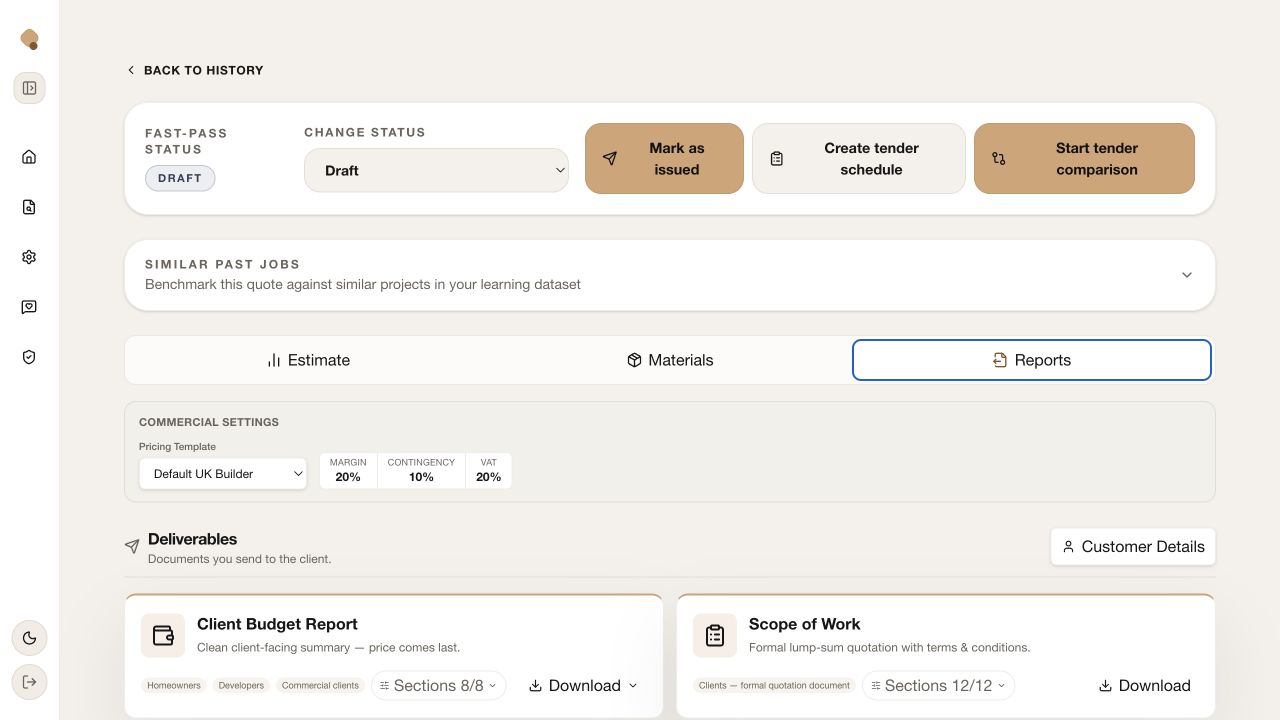
- Confirm the pricing template, margin, contingency and VAT agree with your intended quote basis.
- Add customer details and a project-specific cover message. Include the relevant scope, assumptions, exclusions and conditions.
- Generate the document, open it and compare its totals and wording with the reviewed estimate. Use the actual output for the check.
- Only after sending the checked document, record the issued version. Keep later changes separate from what the customer saw.
Use the report/handover checklist · blank editable sheet · completed example · printable example. For the complete controls, see the report walkthrough.
Take one reviewed estimate through to an opened and checked client report.
Open my workspace